Getting started
Installation
Install GraftQL with pip:
pip install graftql
Or with uv:
uv add graftql
Quick Start
Create a project directory and a virtual environment:
mkdir graftql-tutorial
cd graftql-tutorial
python -m venv .venv
source .venv/bin/activate  # on Windows: .venv\Scripts\activate
pip install graftql
Let's Code
File Structure
A common layout is one folder for model classes. This tutorial keeps it minimal: a models.py file and a main.py file.
Create some models
First, create classes to represent our database tables.
# models.py
"""Basic tutorial models.

This is the simplest possible GraftQL example: a couple of SQLModel tables that
automatically become a typed GraphQL API when mounted via :class:`~graftql.GraftRouter`.
"""

from datetime import date

from graftql import Field, GraftModel


class Student(GraftModel, table=True):
    __filter_attributes__ = {
        "name": {"required": False, "description": "Filter by name"},
    }

    id: int | None = Field(primary_key=True, default=None)
    name: str
    birth_date: date


class Course(GraftModel, table=True):
    id: int | None = Field(primary_key=True, default=None)
    name: str
Note
GraftModel inherits SQLModel. For more details: SQLModel.
All parameters of GraftModel are documented in the API reference.
Info
To help with imports you can import Field from graftql (it is re-exported from sqlmodel).
Setting a server
Then create a GraftRouter and include it in a FastAPI app.
"""Getting-started example: turn SQLModel models into a GraphQL API with GraftQL.

Run:
    uvicorn examples.tutorial.basic.main:app --reload
Then open:
    http://127.0.0.1:8000/graphql

Sample queries:

    query {
      students {
        many {
          edges {
            node { id name birthDate }
          }
        }
      }
    }

    query {
      courses {
        many {
          edges {
            node { id name }
          }
        }
      }
    }
"""

from __future__ import annotations

from contextlib import asynccontextmanager
from datetime import date

from fastapi import FastAPI
from sqlmodel import Session, create_engine, select
from sqlmodel.pool import StaticPool

import examples.tutorial.basic.models as _models  # noqa: F401
from examples.tutorial.basic.models import Course, Student
from graftql import GraftModel, GraftRouter

# In-memory SQLite for a self-contained tutorial.
engine = create_engine(
    "sqlite://",
    poolclass=StaticPool,
    connect_args={"check_same_thread": False},
)

# Create the tables for our GraftModel subclasses.
GraftModel.metadata.create_all(engine)

@asynccontextmanager
async def lifespan(application: FastAPI):
    """Seed some data so users can run queries immediately.

    Kept in a lifespan hook (not module import time) so importing this module
    has no side-effects — important for test environments and tooling.
    """

    with Session(engine) as session:
        has_student = session.exec(select(Student.id).limit(1)).first() is not None
        if not has_student:
            session.add_all(
                [
                    Student(name="Ada Lovelace", birth_date=date(1815, 12, 10)),
                    Student(name="Alan Turing", birth_date=date(1912, 6, 23)),
                ]
            )

        has_course = session.exec(select(Course.id).limit(1)).first() is not None
        if not has_course:
            session.add_all([Course(name="Algorithms"), Course(name="Databases")])

        session.commit()
    yield


app = FastAPI(title="GraftQL basic tutorial", lifespan=lifespan)

# GraftRouter mounts a Strawberry-powered GraphQL endpoint for all registered GraftModel classes.
router = GraftRouter(engine=engine, enable_put_mutations=True, enable_delete_mutations=True)
app.include_router(router, prefix="/graphql")
Note
GraftRouter inherits Strawberry's GraphQLRouter. For more details: Strawberry.
You can pass a dict to engine in GraftRouter to use multiple databases in the same API. In that case, set __enginename__ on your GraftModel subclasses (default is 'default').
All parameters of GraftRouter are documented in the API reference.
Info
GraftQL provides an import_files helper that imports all model classes from a given folder.
Running
Start FastAPI
Run uvicorn main:app in the project folder and open localhost:8000/graphql in your browser to use the Strawberry GraphiQL explorer.
Run Query
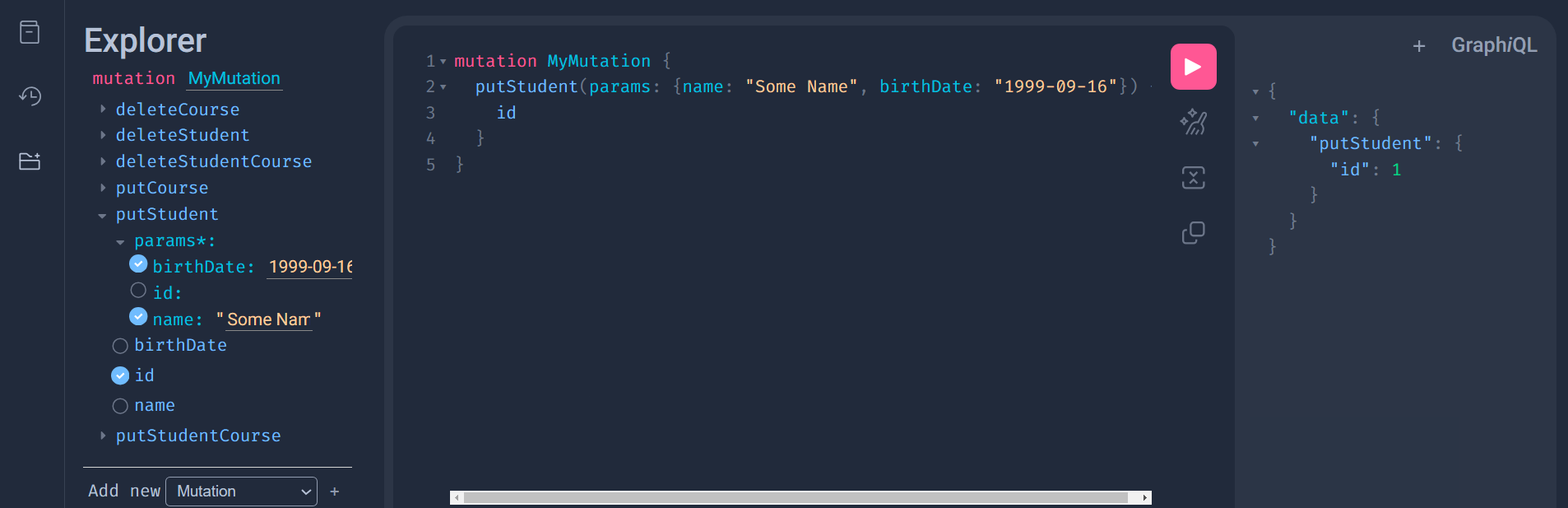
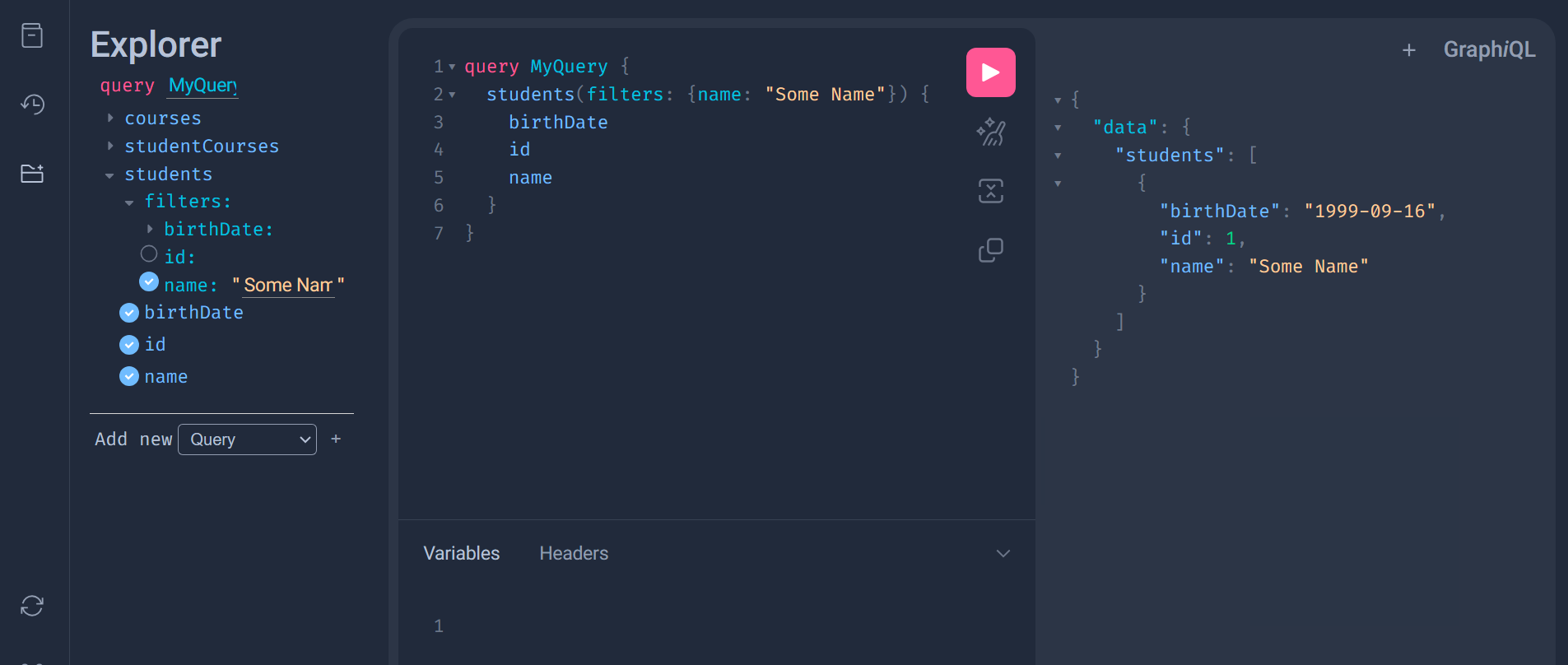
You now have queries plus put and delete mutations for both models.
Every query comes with a filter argument, so you can filter results by any column.
Note
put is an upsert: if you pass an id that exists, the row is updated; otherwise a new row is created.